The UAD Distressor Plugin: Your Metal Mix Swiss Army Knife
Nail The Mix Staff
The hardware Empirical Labs Distressor is a modern legend. Ask any seasoned engineer to name their “desert island” compressor, and there’s a damn good chance the Distressor is on their list. It’s a beast—a VCA compressor that can be transparent, filthy, aggressive, or just plain weird. It’s the Swiss Army knife of dynamics control, and for years, getting that sound meant shelling out a couple of grand for a physical unit.
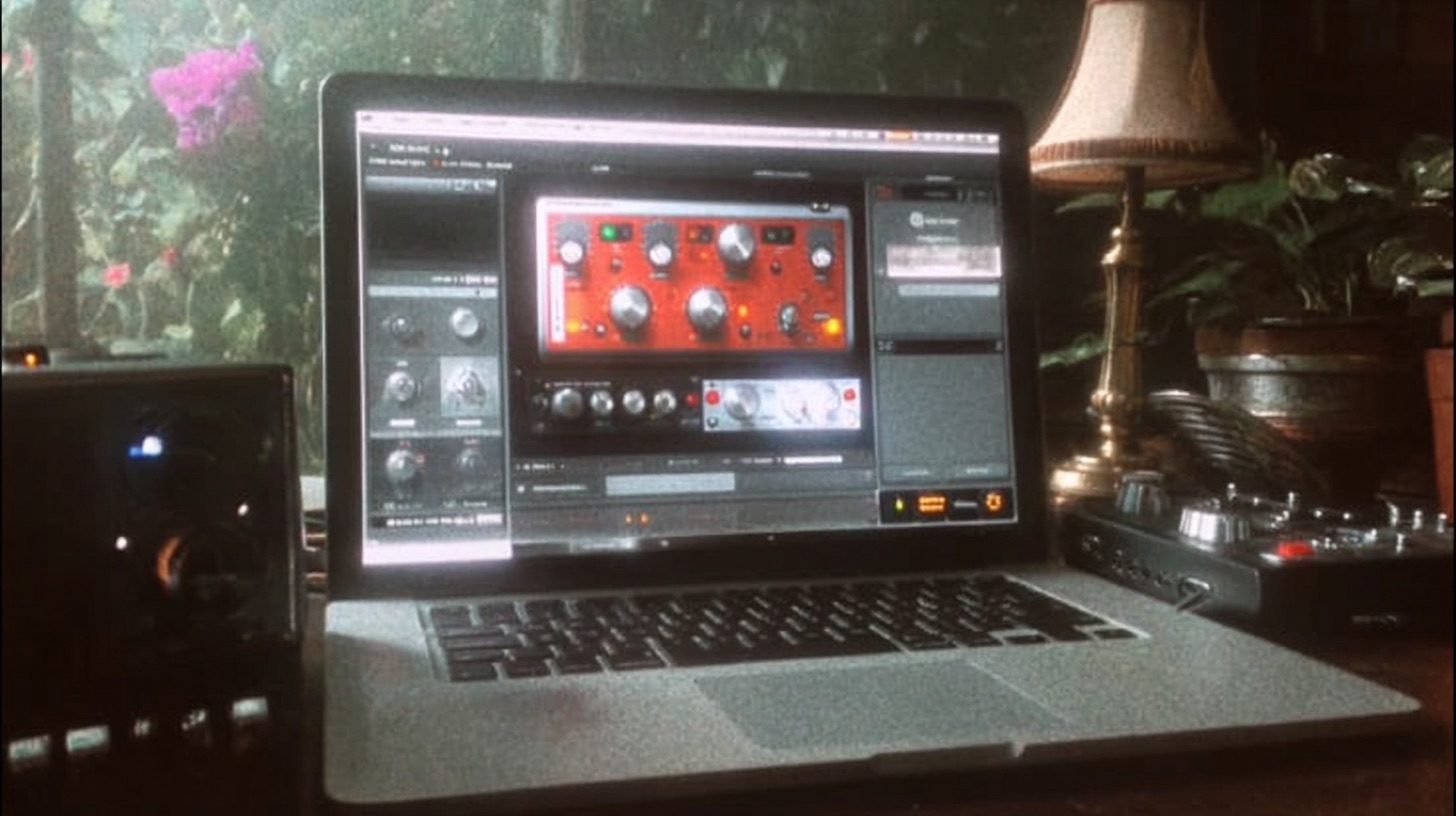
Thankfully, we live in the plugin era. The Universal Audio EL8 Distressor Compressor Plugin is the only end-to-end emulation officially licensed and endorsed by Empirical Labs founder Dave Derr himself. But in a world full of compressor plugins, what makes this one so special for metal producers?
Let’s dig into what this thing actually does and how you can use it to make your metal mixes hit harder.
What Is the Empirical Labs Distressor?
At its core, the Distressor is a digitally-controlled analog VCA compressor. This hybrid design is what gives it such a massive range. It’s not just a one-trick pony; it can emulate the characteristics of classic compressors like the 1176 or the LA-2A, but it also has a unique, aggressive character all its own.
Here’s what you need to know about the controls:
- Fixed Ratios: Unlike a variable ratio knob, the Distressor uses buttons for set ratios: 1:1, 2:1, 3:1, 4:1, 6:1, 10:1, 20:1, and the infamous "Nuke" setting. Nuke is a brickwall limiting curve that’s perfect for obliterating room mics or creating insane parallel compression effects.
- Distortion Modes: This is where the magic really happens. The "Dist 2" setting introduces 2nd order harmonics, similar to tube saturation, for warmth and thickness. "Dist 3" adds edgy 3rd order harmonics, much like analog tape saturation. You can even combine them for more complex coloration.
- Detector/Sidechain Filters: This section is a game-changer. The high-pass filter prevents low-frequency content (like a kick drum’s sub) from triggering the compressor, allowing for punchier, less "pumpy" compression. The "Band Emphasis" setting boosts the upper-midrange frequencies in the sidechain, making the Distressor react more aggressively to harsh or present sounds—great for taming sibilance in vocals or harshness in cymbals.
UAD Distressor Plugin vs. The Hardware: Does It Matter?
Alright, let's tackle the analog vs. digital elephant in the room. Does the UAD plugin really sound like the hardware? In short: yeah, it’s insanely close. Universal Audio has a reputation for meticulous modeling, and this plugin is one of their crown jewels. For 99% of us, the subtle nuances you might hear in an A/B test are completely irrelevant in the context of a full mix.
The real difference is workflow. With the plugin, you get instant recall, automation on every parameter, and the ability to run multiple Distressors across your entire session without a massive hardware investment and patchbay nightmare.
This ties into a core philosophy we believe in: it’s not about having the exact same gear as your heroes; it’s about understanding the decisions they make. The UAD Distressor gives you the exact sonic toolkit of the original hardware, which is all you need. The rest is up to your ears and your skills. If a plugin lets you work faster and more creatively, it's the right choice.
How to Use the UAD Distressor on Your Metal Mixes
This is where the fun begins. The Distressor can be a subtle tone box or an absolute monster. Here are some starting points for using it in your next metal production.
Crushing Metal Drums
Drums are arguably the Distressor’s most famous application. It has a way of adding punch, aggression, and character that few other compressors can match.
Snare Drum Attack
Want a snare that cracks like a rifle shot? The Distressor is your weapon.
- Ratio: Start at 6:1 or 10:1 for aggressive smack.
- Attack: Set it relatively fast, but not instant. A setting around 3-5 lets the initial transient of the snare hit through before the compression clamps down, which emphasizes the "crack."
- Release: A medium release (around 4-6) usually works well to bring up the body and sustain of the snare without sounding unnatural.
- Pro Tip: Engage the Dist 2 or Dist 3 mode to add harmonic saturation. This will really help the snare cut through a wall of downtuned guitars. Also, enable the Detector HPF to prevent the kick drum bleeding into the snare mic from causing unwanted pumping.
Kick Drum Punch
For a powerful, controlled kick drum, the Distressor can help you shape the envelope perfectly.
- Ratio: A 4:1 or 6:1 ratio is a great starting point.
- Attack: Go for a slower attack (around 5-7) to let the beater’s "click" pass through untouched.
- Release: Tune the release time to the tempo of the song. You want the compressor to "breathe" in time with the track, letting the needle return to zero (or close to it) before the next kick hits.
- Pro Tip: The Detector HPF is essential here. It tells the compressor to ignore the super-low sub frequencies, focusing the compression on the kick's body and punch.
The "Nuke" Parallel Drum Bus
This is a classic metal mixing trick. Create a parallel bus for your drums, insert a Distressor, and absolutely destroy it.
- Ratio: Engage the Nuke setting.
- Attack/Release: Fast attack (0-2) and fast release (0-2).
- Compression: Aim for 15-20dB of gain reduction. It should sound completely squashed and over-the-top.
- Blend It In: Gently blend this crushed signal back in underneath your main drum bus. This adds incredible density, excitement, and sustain to your drums without sacrificing the transient punch of the main signal. For more on this, check out our deep dive into metal compression secrets.
Aggressive Vocals That Cut Through
The Distressor is a monster on heavy vocals. It can tame a dynamic performance while adding attitude. For screaming vocals, try emulating a classic 1176 "all buttons in" vibe with a 20:1 or Nuke ratio and fast attack/release times.
For vocals that need to be both controlled and aggressive, start with a 6:1 ratio, a fast-to-medium attack, and engage Dist 3 to add that tape-like grit that helps vocals slice through a dense mix.
Punchy Bass Guitar
The Distressor is perfect for pinning a bass guitar in place so it sits consistently in the mix.
- Ratio: 4:1 is a great place to start.
- Attack: A medium attack allows the initial pick/finger attack to come through for definition.
- Release: Adjust the release so it complements the playing style. For fast, articulate basslines, you’ll want a faster release time.
- Pro Tip: Again, the Detector HPF is your best friend. It stops the sub frequencies from making the compressor overreact, resulting in a much smoother and more consistent low end.
Taming Rhythm Guitars? (Use With Caution)
Here’s a hot take: you often don’t need to compress heavily distorted rhythm guitars. The distortion from the amp has already annihilated most of the dynamic range. However, a Distressor can be great on a guitar bus.
Try using a low ratio like 2:1 or 3:1 with a slow attack and slow release. Aim for just 1-2dB of gain reduction on the meter. This isn’t about smashing the dynamics; it’s about adding subtle "glue" and a bit of harmonic character to make multiple guitar tracks feel like one cohesive wall of sound. If you’re struggling to get your guitars to sit right, the issue might be EQ, not compression. Dive into our guide on EQing modern metal guitars for more on that.
Is the UAD Distressor Plugin Worth It?
If you already have a dozen compressor plugins, do you need another one? Well, it depends. If you’re just looking for clean, transparent dynamic control, a good stock compressor or something like FabFilter’s Pro-C 2 will do the job perfectly.
But the UAD Distressor isn't just a dynamics tool; it's a character piece. It’s for when you want to add audible punch, grit, and attitude. It’s one of those special tools that does something unique, and if you’re chasing that aggressive, modern metal sound, it’s an indispensable part of the palette.
But remember, the best plugin in the world won’t fix a bad mix. True progress comes from learning how to use your tools in a musical context. Seeing world-class producers like our incredible list of instructors use tools like the Distressor on actual hit songs is the ultimate shortcut to leveling up your skills.
Instead of just guessing at settings, you can watch them dial in the exact attack, release, and distortion modes needed to make a snare drum explode or a vocal sit perfectly in a chaotic mix. That kind of insight is priceless.
Check out our full catalog of Nail The Mix sessions to see exactly how the pros get it done.